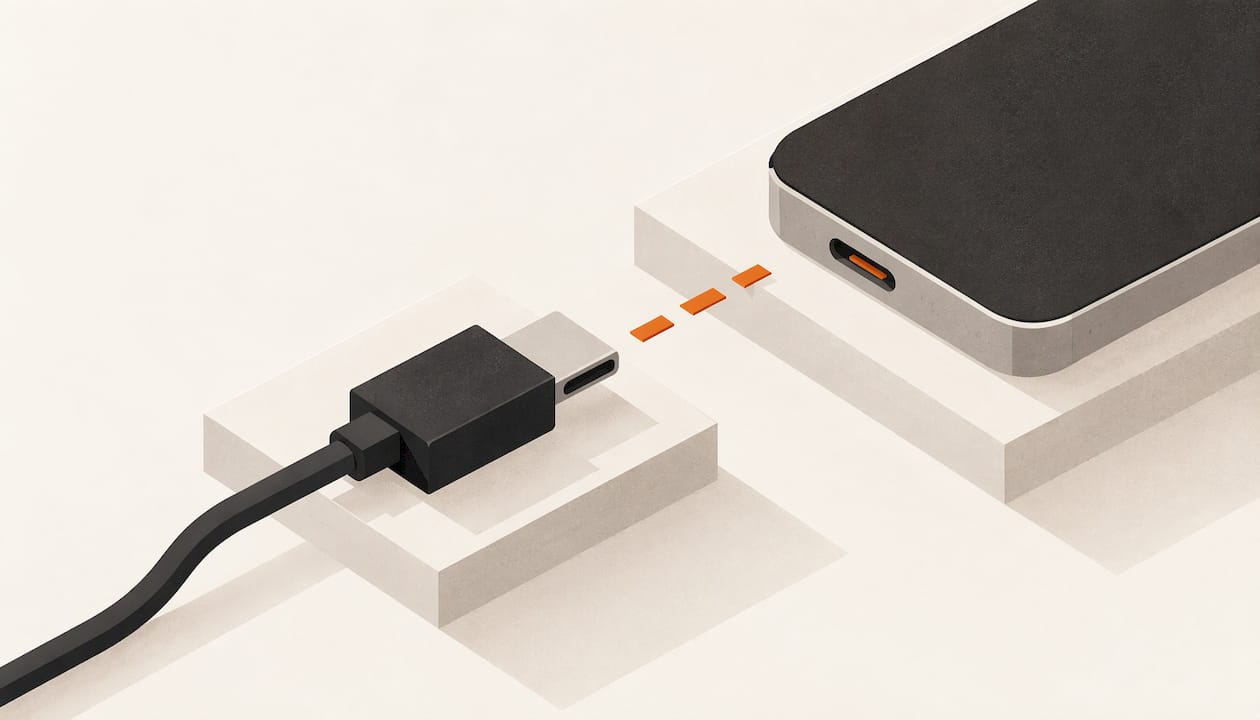
When a phone stops charging, the fault is usually in one of three places: the cable, the power adapter or the charging port. Sometimes it is the battery or the software. A few safe checks tell you which one in about ten minutes. If the cable and adapter are fine and the phone still won't charge, the port or battery needs a technician who can diagnose down to the circuit board. That is the work we do at Ultimate Wireless Solutions in Tustin, California, with charging port repair in store, by mobile appointment in select Orange County cities, or by mail-in.
This guide shows you how to find the failing part, what not to do to your phone, which warning signs mean you should stop charging, and what a proper repair involves.
TL;DR
- Swap in a known-good cable and adapter first. Most "broken charger" problems end here.
- Look at the port with a light. Lint, bent pins or green corrosion point to the port, not the cable.
- Never charge a wet phone, and never use heat, compressed air or rice to dry it.
- Heat, swelling, a strong odor or smoke means unplug it and move away from it. Call 9-1-1 if it keeps getting worse.
- If the accessories are fine and the phone still charges only at an angle or not at all, you need a port or battery repair with proper diagnostics.
Table of Contents
- Work out which part has failed
- If the phone got wet
- Warning signs: stop charging
- Port, battery or board: what a repair finds
- What a charging port repair costs
- Get the phone fixed the way that suits your week
- How to make the repair last
- FAQ
- Sources
Work out which part has failed
A charging setup has three separate parts: the cable, the wall adapter and the port on the phone. As one charger-maintenance guide points out, you may need to replace only one of them. A bad cable does not mean the adapter has to go too.
The common causes of a phone that won't charge, according to T-Mobile's troubleshooting guide, are:
- a dirty charging port
- a faulty cable or adapter
- a faulty outlet
- a software glitch or an outdated operating system
- water or moisture damage
- a degraded battery
- hardware failure
The checks below separate those causes in the order that wastes the least time.
Step 1: Change the power source
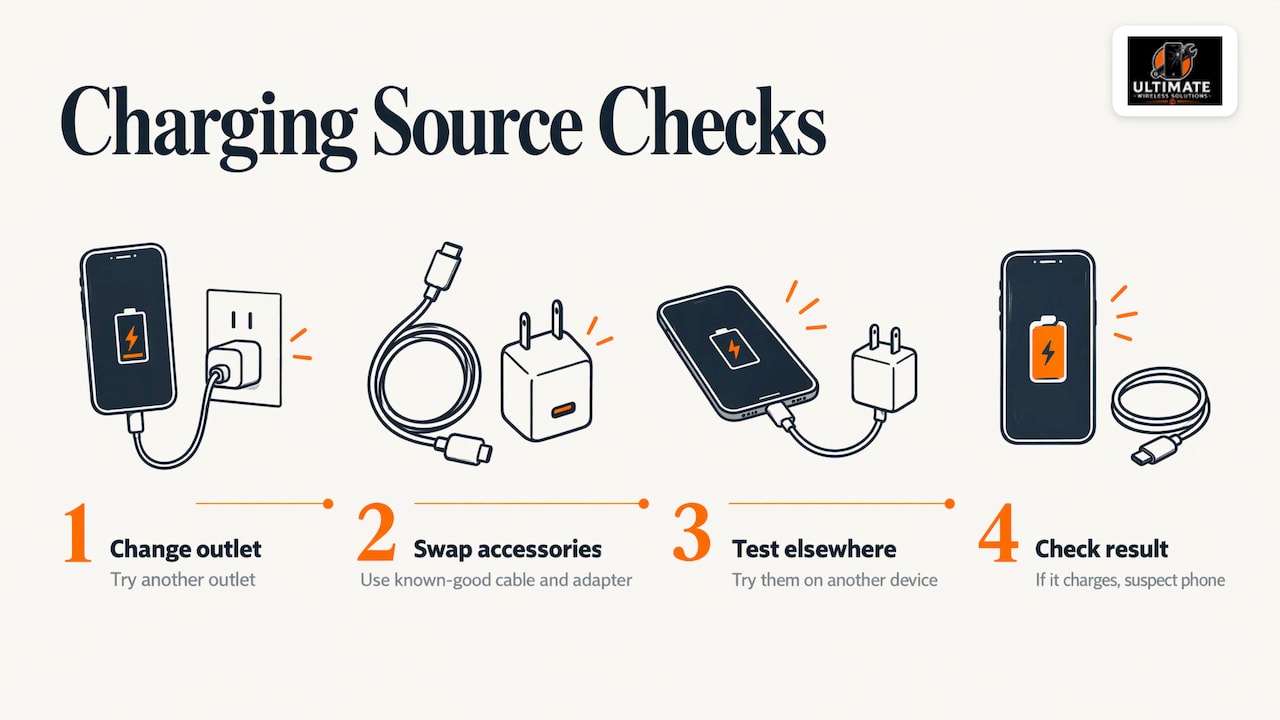
Plug the phone into a different outlet, then try a different cable and adapter that you know work on another device. Apple's charging guide starts with exactly this: try different power sources, check the cable and adapter for damage, and make sure the connections are firm. Google's guidance for Android adds a quick test: try the adapter and cable on another device. If the other device charges, your accessories are fine and the problem is in the phone.
If you see a "Check charging accessory" message on an Android phone, Google says the cable or USB power adapter may be damaged or unsupported. A cable that suddenly works only in one position is a classic sign of wear in the cable or the port. HTC's support page says charging that only works when the phone is held at an angle points to damage in the port, cable or adapter.
Step 2: Restart and give it time
A frozen system can stop charging. Restart the phone, or force-restart it if it won't respond. On Android, Google suggests holding the power button for 5 to 7 seconds. Then charge for at least 30 minutes before deciding anything. Apple gives the same 30-minute window, and Google adds that a red light means the battery is fully discharged and needs at least that long before the phone will restart.
Update the software too. A charging glitch after an update is often fixed by the next one.
Step 3: Check the wattage
Slow charging is not always a fault. A low-wattage adapter, such as an old phone block on a newer phone, charges slowly because it cannot supply more. Check the input wattage your phone recommends before you assume anything is broken.
Step 4: Look at the port
Shine a flashlight into the port. Pocket lint packed into the opening is one of the most common reasons a cable no longer seats fully. Samsung's US support page lists debris in the port among the causes of slow or no charging, and tells users to remove it without metal objects or liquids. Power the phone off first. A wooden toothpick or a dry anti-static brush is the safe tool. Never use a pin, a paperclip or a drop of rubbing alcohol.
What you are looking for:
- Lint or dust: gentle cleaning often restores charging.
- Bent or pushed-in pins: this is mechanical damage, so stop poking.
- Green, white or dark residue: corrosion from moisture, which cleaning alone will not undo.
- A loose port that wobbles: the solder joints or the port itself have given out.
If cleaning does not help, the port is the likely culprit, and replacing it is the real fix.
If the phone got wet
Water and charging do not mix. Apple warns that charging a wet connector can corrode the pins and cause permanent damage. Unplug the cable and let the phone and cable dry with airflow for up to 24 hours. Do not use heat, compressed air, foreign objects or rice. Samsung says the same for its water-resistant phones: the port must be completely dry before charging, and moisture detection will stop charging to protect the device.
If the phone still won't charge after drying, or if corrosion shows in the port, bring it in. Corrosion often travels past the port onto the board, which is where board-level diagnostics matter.
Warning signs: stop charging
Some symptoms are not a repair-later problem. The New York State Division of Homeland Security and Emergency Services lists the warning signs of a failing lithium-ion battery:
- extreme heat
- swelling or bulging
- hissing, cracking or popping noises
- a strong odor
- smoke
Its instruction is to turn the device off and unplug it immediately, move it to a safe, isolated area, and call 9-1-1. The same bulletin advises using only batteries and chargers designed and approved for the device, and buying equipment with a UL or ETL safety mark.
On the accessory side, throw away any cable or adapter that is frayed, has exposed or discolored wires, has cracks or wobbling prongs, shows scorch marks, or smells like burning. Do not tape, sleeve or open it. Popular Science notes that the Electrical Safety Foundation International recommends against repairing broken cables, and that if two frayed wires touch they can burn out charger circuitry or fry a charging port. A new cable costs far less than a damaged phone.
Port, battery or board: what a repair finds
This is where a phone repair shop earns its fee, because the same symptom has different causes.
| What you see | Likely cause | Usual fix |
|---|---|---|
| Cable fits loosely, charges only at an angle | Worn or lint-packed port | Cleaning, or port replacement |
| Charges, but drains fast or shuts off at 30% | Degraded battery | Battery replacement |
| Won't charge with any cable, no sign of dirt | Failed port, damaged charging circuit | Port or board-level repair |
| Stopped charging after getting wet | Corrosion on pins or board | Water-damage diagnostics, then repair |
| Warm, swollen or smelly | Failing battery | Stop using it, then replace the battery |
Battery health matters here. T-Mobile's guide suggests checking battery health in settings and replacing the battery when capacity has fallen below 80%. A tired battery can look like a charging problem when the port is perfectly healthy.
Why diagnosis matters more than the part
A charging port is soldered to the board. When a port fails, the reason is sometimes the port itself and sometimes something around it, such as a damaged pad or a failed charging chip. Swapping a port without finding the cause can leave you with the same fault a week later.
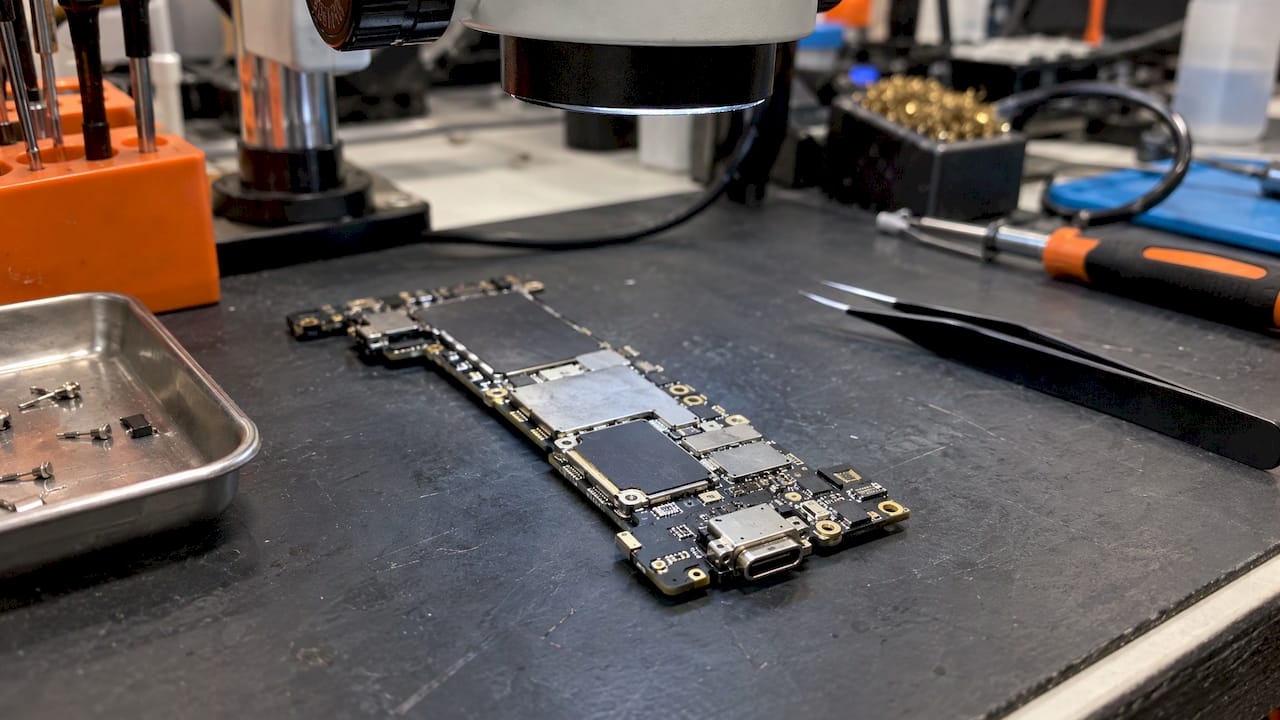
Our repairs include board-level diagnostics and component-level work, so the technician can tell a worn port from a deeper circuit fault before replacing anything. We use quality replacement parts suited to the device, and the repair is backed by a limited warranty. That is the difference between "we changed the port" and "we found why it stopped charging."
What about fixing it yourself?
Some manufacturers run self-repair programs. Samsung's program for certain Galaxy S20, S21 and S22 models calls for genuine parts, demagnetized tools, safety gear and a fully discharged battery, and it warns that a mistake can affect your warranty. Opening a phone with a charged lithium-ion battery is a job for someone with the tools and the practice, which is a good reason to book a technician instead.
What a charging port repair costs
Price depends on the phone model, how the port is built into the phone, and what the diagnosis finds. Phones where the port sits on a separate flex cable are generally simpler than phones where the fault lies in the board. Apple is a useful reference for how repair pricing works: its out-of-warranty fees are estimates that depend on inspection, and it guarantees service and replacement parts for 90 days or the remaining warranty term. Manufacturer warranties generally cover manufacturing defects, not accidental damage or normal battery wear.
We do not publish a flat charging-port price on this page, because the diagnosis comes first. We price with no hidden fees, and the repair carries a limited warranty. For a model-specific look, our pages for the iPhone 14 Pro, iPhone 11 and Galaxy Z Flip series cover what we repair on each.
If the phone is old and has several faults, our guide on whether to repair or replace your phone walks through the decision.
Get the phone fixed the way that suits your week
A phone that won't charge is a phone that dies mid-day, so the repair has to fit around your schedule. We offer three ways to do it:
- Walk in to our Tustin store. We handle same-day repairs for common problems like charging ports, batteries, cracked screens and water damage.
- Mobile repair by appointment in select Orange County cities. See the mobile repair service page.
- Mail-in repair if you live outside the area. The mail-in repair page explains how it works.
Parents can bring a child's phone in without the child. Students and professionals can pick whichever option avoids a trip across town. If the phone holds photos or work files you can't lose, ask about data recovery at the same time.
Start on the phone repair page to see everything we fix, or go straight to iPhone repair if that is what you carry. Our own checklist, Phone Not Charging? 12 Causes & What to Do Before Repair, goes through the causes one by one.
How to make the repair last
Once the port or battery is fixed, a few habits protect it:
- Use a good cable. Pick one with a UL or ETL mark, as the New York bulletin advises, and replace it at the first sign of fraying or looseness.
- Match the adapter to the phone. Check the recommended wattage and use a charger designed for your device.
- Keep the port clean. Lint from pockets and bags builds up over months. A glance with a flashlight every so often catches it early.
- Keep it dry. Let the phone dry fully before plugging in, as Apple and Samsung both advise.
- Avoid charging hot. Heat shortens battery life. Do not charge under a pillow or in direct sun.
There is no fixed number of months after which a cable or charger must be replaced. Condition, compatibility and performance are what matter. A cable that still holds firmly and charges at full speed is fine.
FAQ
Why does my phone only charge at certain angles?
That usually means the port is worn, packed with lint or loose on the board, or that the cable's connector is worn. Test with a second cable. If the new cable also needs wiggling, the port is the likely cause and replacing it fixes the problem.
Can a charging port be cleaned instead of replaced?
If the cause is lint or dust, yes. Power the phone off and clear the port with a wooden toothpick or a dry anti-static brush, never metal or liquid. If cleaning does not help, or the pins are bent or corroded, the port needs a repair.
Is it worth repairing a charger or cable?
A frayed or damaged cable or adapter should be replaced, not taped or soldered. Safety groups advise against repairing broken cables, and replacements are inexpensive. The phone's own port is a different matter, and that is worth repairing.
Is it safe to keep using a phone that gets hot while charging?
No. Extreme heat, swelling, odd noises, a strong smell or smoke are warning signs of a failing battery. Unplug the phone, turn it off, move it to a safe spot away from anything flammable, and call 9-1-1 if it worsens. Once it is safe, a battery replacement is the next step.
Do you repair charging ports the same day?
We offer same-day repairs for common issues, including charging ports and batteries. Walk in to our Tustin store, or choose a mobile appointment or mail-in repair.
Sources
- Why Is My Phone Not Charging? (T-Mobile)
- If your iPhone or iPod touch won't charge (Apple Support)
- If you see a liquid-detection alert on your iPhone (Apple Support)
- Fix an Android device that won't charge or turn on (Google)
- Samsung Galaxy device charging slowly or not charging (Samsung US)
- I am having charging problems (HTC)
- Lithium-ion battery information bulletin (NY State DHSES)
- Don't try to fix your frayed cable (Popular Science)
- When to Replace Your Charger or Cable (JenDore Tech Lab)
- How to self repair your phone charging port (Samsung)
- Apple Service and Repair for iPhone (Apple Support)